Step 1: Measure what driving costs you
Drive cost has two parts: the vehicle (fuel, maintenance, tires, insurance, depreciation per mile) and your time at your labor rate.
Step 2: Split your area into zones
Draw 3 to 5 zones on a map around clusters of customers, such as by town, ZIP code or side of the highway. Give each zone one or two days a week. When a customer books, offer the days you’re already in their zone first. This one habit usually cuts more driving than any app.
Step 3: Book by area, not by first come
- On your booking page or in texts, offer “Tuesday or Thursday” for that zone rather than any open slot.
- Give a small incentive for flexible customers, like a lower price for “any time this week.”
- Steer neighbors and same-office customers onto the same day. Multi-car stops are the most efficient work you can do.
Step 4: Order the stops
Start the day at the stop farthest from home and work back, or start closest and end near home, whichever puts the long drive outside paid hours for you. Put long jobs where traffic is worst, so you’re working while the roads are jammed. Map apps with multi-stop routes can suggest an order; check it against real traffic.
Step 5: Build in honest buffers
A day that only works if every job finishes on time will run late. Add a buffer between stops for setup, payment and the unexpected. If you’re late often, your job times are too optimistic; fix those first.
Step 6: Charge for the stops that don’t fit
Some jobs will be out of zone. A travel fee beyond your radius, a minimum per stop, or a “we’re in your area on Fridays” reply keeps them from wrecking a day. See our guide to building a detailing price list for travel and minimum rules.
Step 7: Judge days by profit per hour, not jobs done
Four jobs spread across a county can earn less than three jobs on one street. At the end of each day, look at revenue minus drive, labor and product costs, divided by the hours from leaving to getting home. Also note what share of the day was driving. Watch that number over a few weeks; it tells you whether your zones are working.
Plan it in a spreadsheet
Some links are affiliate links; we may earn a commission at no cost to you. Details
The route planner lets you enter each stop in driving order with miles or minutes from your map app, then shows arrival and finish times, drive cost, profit per stop, profit per day, profit per hour and the share of the day spent driving. It doesn’t connect to maps; you enter the distances. Field service software like Jobber, Housecall Pro and GorillaDesk list routing features on various plans (see our detailing software comparison).
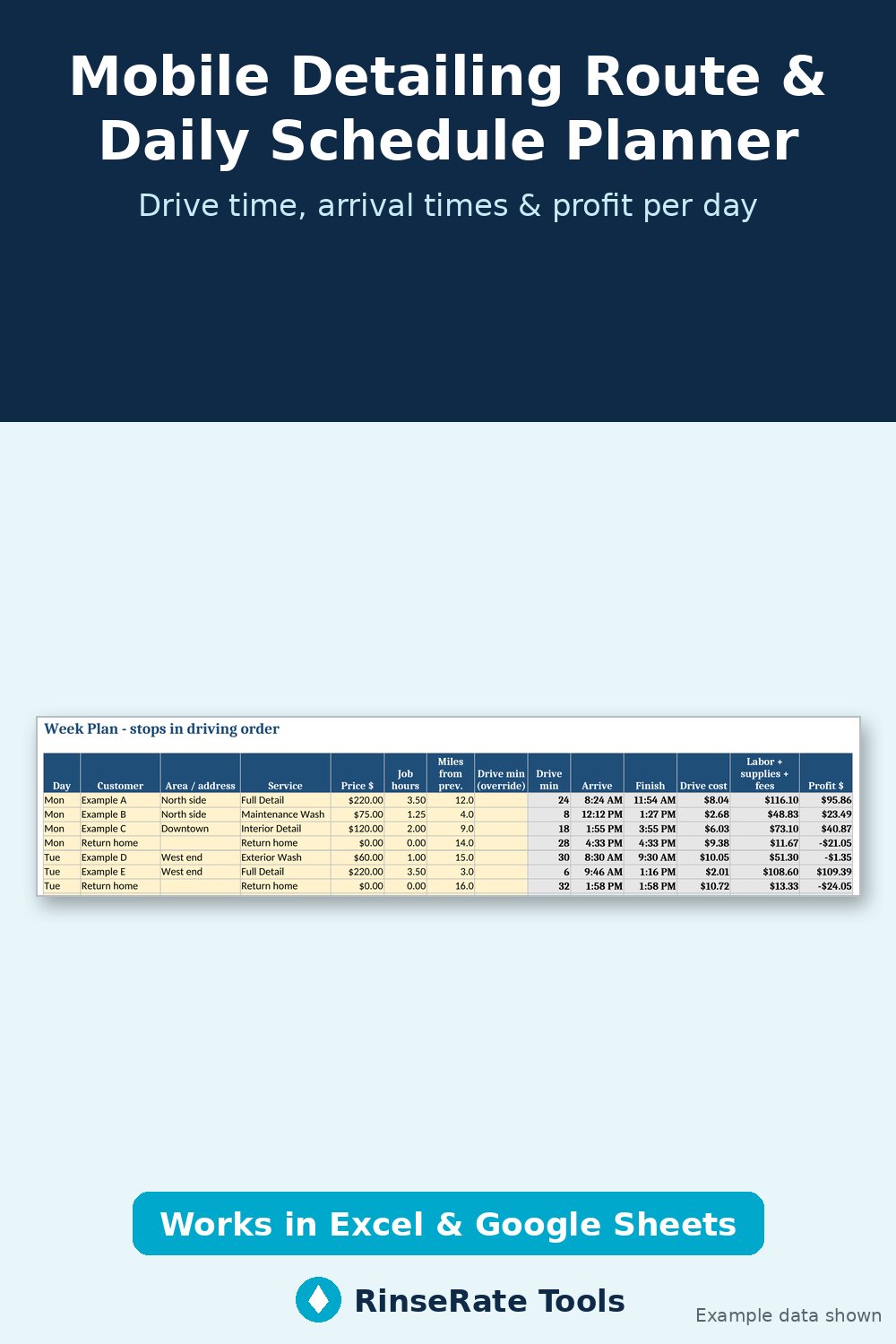
Template: Mobile Detailing Route & Daily Schedule Planner
Plan a week of stops in driving order. Enter service, price, job hours and miles from the last stop; the planner chains arrival and finish times, adds your buffer, and shows drive cost and profit per stop, plus profit per day, profit per hour and the share of the day spent driving.
Excel + Google Sheets. Regular price $12; check the listing for current price. Example data is labeled; replace it with your own numbers.
Get the template on Payhip Or on Gumroad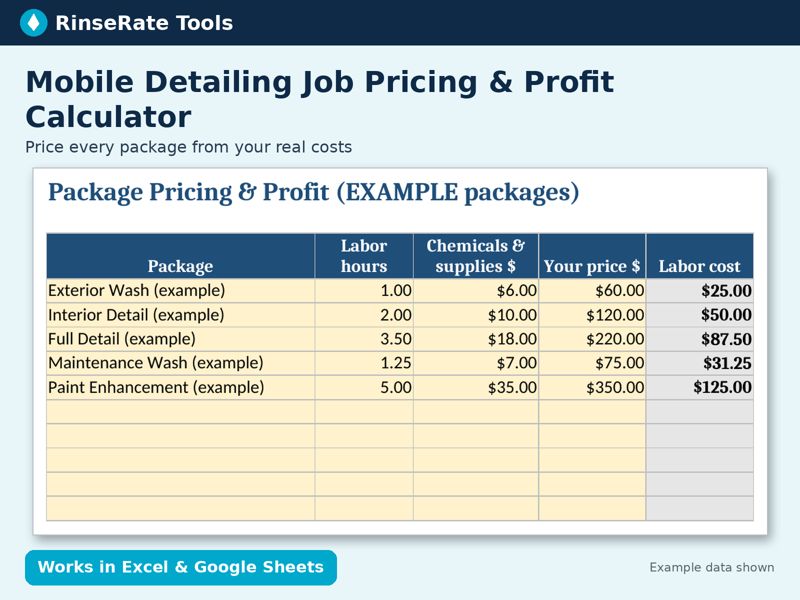
Template: Mobile Detailing Job Pricing & Profit Calculator
Enter your labor rate, chemical cost, travel cost per mile and overhead once. See true cost, profit, margin, profit per hour and a suggested price for each package, plus a one-job quote tab with vehicle-size multipliers and add-ons.
Excel + Google Sheets. Regular price $14; check the listing for current price. Example data is labeled; replace it with your own numbers.
Get the template on Payhip Or on Gumroad