Side by side
Some links are affiliate links; we may earn a commission at no cost to you. Details
| Jobber | Housecall Pro | GorillaDesk | |
|---|---|---|---|
| Entry price | Core: $29/mo billed annually, or $49/mo no commitment, 1 user | Basic: $59/mo billed annually | Basic: $49/mo, paid monthly, 1 route |
| Higher plans | Connect $99/mo and Grow $149/mo (annual, 1 user) | Essentials (5 users) and MAX (8 users): check current pricing | Pro $99/mo, Growth $149/mo (1 route) |
| How it scales | Extra users $29/mo each | MAX: $35/mo per extra user | Per route; unlimited office and crew users free. Crews riding together share one route |
| Online booking | On Core | On Basic | On Pro |
| Routing | Listed in features; check which plan | Routes on Essentials; route optimization on MAX | Basic routing up to 25 stops on Basic; drive-time routing on Pro |
| Measuring from a map | Not listed on pricing page | Not listed on pricing page | Map Estimation Tools on Growth |
| Job costing | Grow | Basic | Material tracking on Basic; check for full job costing |
| Review requests | Check plan | Review management on Basic | Review generation on Pro |
| QuickBooks Online sync | Connect and up | Essentials and up | Pro and up |
| Contracts | Monthly, 1-year monthly, or annual prepaid | No long-term contracts | Month-to-month, no setup fees; account freeze for seasonal businesses |
| Free trial | 14 days on Grow, no card | 14 days on MAX, no card | Trial offered; check current terms |
All figures (checked Oct 2026) from the vendor pages linked above. Jobber showed a limited-time annual discount ending Oct 30, 2026. GorillaDesk texting is a $5/mo SMS subscription plus prepaid credits.
What matters most for pressure washing
Seasonality
If you’re slow for part of the year, flexible billing matters. GorillaDesk says monthly accounts can be canceled any time or frozen for seasonal businesses. Housecall Pro says it has no long-term contracts. Jobber’s annual prepaid plan is cheaper per month, but compare it honestly with the no-commitment price if your winters are dead.
Crew size and how you pay for it
Jobber charges per user. GorillaDesk charges per route (each technician who runs their own schedule), and says crews that ride together can share one route while extra users are free. For a two-person crew in one truck, that difference can be large. Count logins and routes before you compare prices.
Quoting by the square foot
All three let you build a price book of line items with quantities. GorillaDesk’s Growth plan lists map-based measuring and estimate packages with optional items. Jobber’s Grow tier lists optional line items on quotes. Whatever you use, set your rates first; see our square-foot quoting guide.
Recurring commercial work
Storefronts, dumpster pads and HOA common areas recur on a schedule. Housecall Pro lists recurring service plans on MAX. GorillaDesk lists advanced invoice frequencies on Basic and Stripe or Square subscription billing on Pro. Jobber lists automatic payments for recurring work. Test your actual recurring setup during a trial.
Who each one fits
Jobber: a solo residential operator who wants the lowest starting price and a polished quote-to-invoice flow. Plan to grow into Connect for automated reminders and QuickBooks sync.
Housecall Pro: a small crew that wants job costing and review management without buying the top tier.
GorillaDesk: crews that ride together, recurring route-based work, and owners who want month-to-month billing and free extra users. Built mainly around pest control, lawn and pool companies, so check that its terms fit exterior cleaning.
Before you sign up
- Set your prices and minimum first.
- Count users or routes, then price the plan with the features you’ll use in the next 6 months.
- Run a real week in the trial: quote, schedule, reschedule, invoice, collect payment.
- Ask how to export your customers and invoices if you leave.
Comparing just two? See Jobber vs Housecall Pro for exterior cleaning. Not ready for software? A spreadsheet quote and invoice setup covers most solo operators.
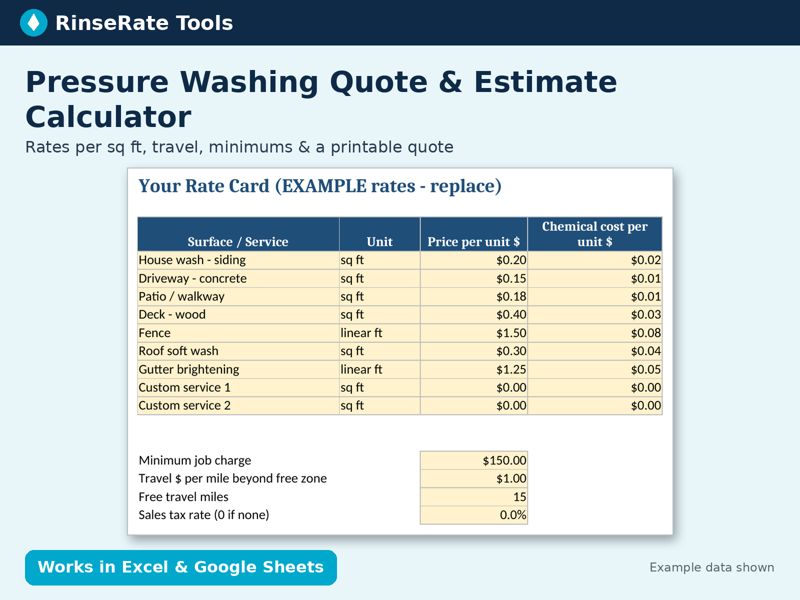
Template: Pressure Washing Quote & Estimate Calculator (Sq Ft)
Set your rate per square foot or linear foot for 9 surfaces, type measurements on site, and get a totaled estimate with travel, minimum-job adjustment, tax and your internal chemical cost. A printable quote tab fills itself.
Excel + Google Sheets. Regular price $15; check the listing for current price. Example data is labeled; replace it with your own numbers.
Get the template on Payhip Or on Gumroad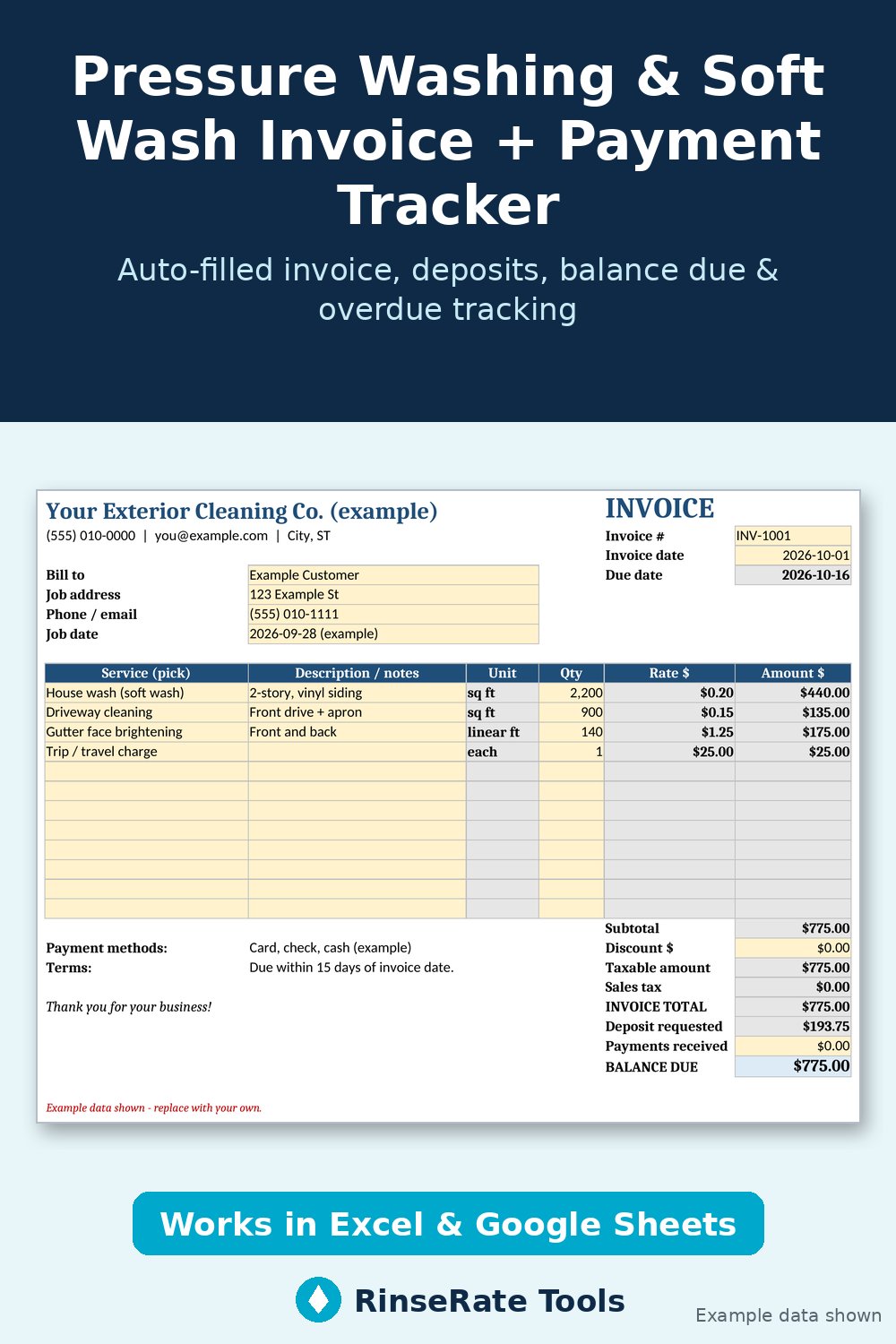
Template: Pressure Washing & Soft Wash Invoice + Payment Tracker
Enter your business info and price list once. Pick a service, type the quantity, and the invoice fills in rate, subtotal, discount, sales tax, deposit and balance due. The Invoice Register tracks payments, works out due dates from your terms, flags Paid / Open / OVERDUE and totals what’s outstanding.
Excel + Google Sheets. Regular price $12; check the listing for current price. Example data is labeled; replace it with your own numbers.
Get the template on Payhip Or on Gumroad